
The Warning Every Publisher Scrolls Past
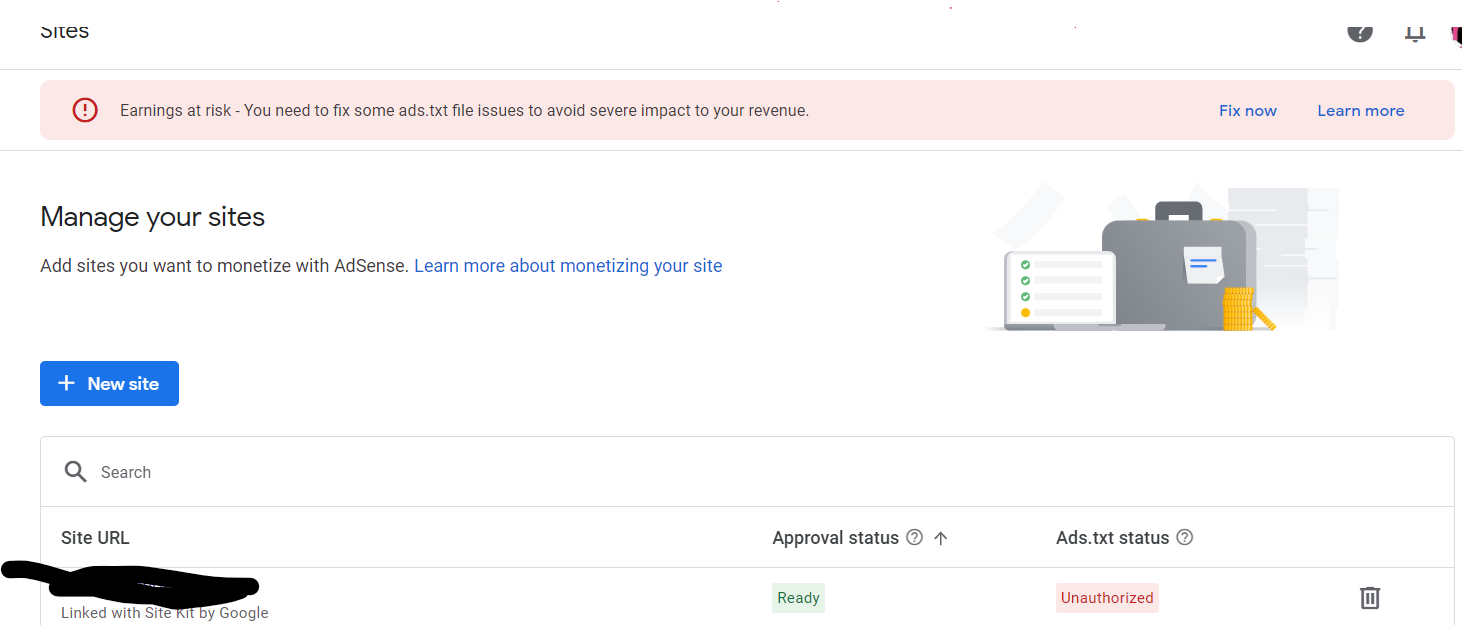
Inside AdSense, there is a small notice many publishers see once and never open again: earnings at risk ads.txt. It sits quietly in the account health section, usually ignored because the ads keep showing and the dashboard still reports numbers. That single unread warning is exactly what turned into a costly problem for a mid sized lifestyle blog that had been running AdSense without incident for five years.
The Site: Stable Traffic, Steady Revenue
The blog in this case published roughly six articles a week, pulled in a consistent 90,000 monthly visitors, and had never touched its ads.txt file since the initial AdSense setup. Revenue held steady month over month, which is exactly why nobody expected trouble. The site had recently moved to a new hosting provider as part of a routine performance upgrade, a change that seemed unrelated to advertising at the time.
Day One: A Revenue Drop With No Obvious Cause
Nine days after the hosting migration, daily AdSense earnings had fallen by close to 40 percent. Traffic numbers in analytics looked normal. Click through rates on individual pages seemed unchanged. The only visible signal was a spike in the earnings at risk ads.txt notice inside the AdSense interface, which had gone from occasional to persistent.
Diagnosis: Ads.txt Adsense Not Found
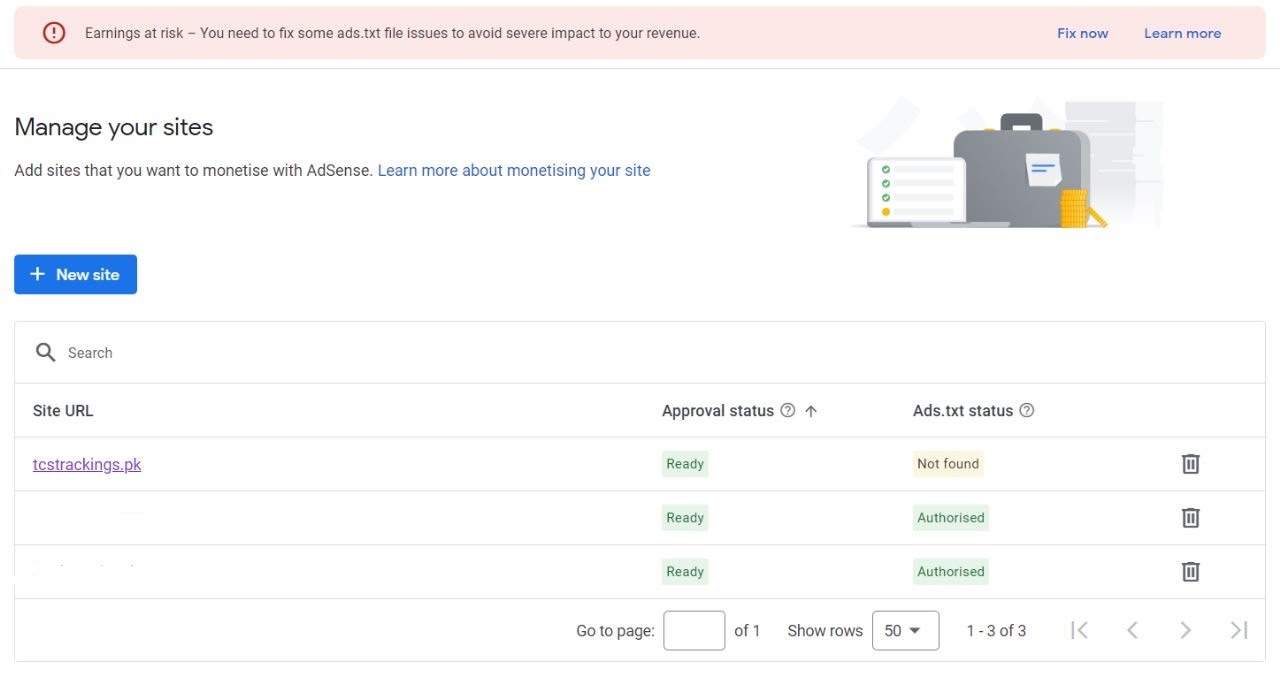
Running the site through Google's ads.txt validator returned the answer immediately: adsense ads.txt not found. The migration had moved the root directory structure of the site, and the ads.txt file, which must sit at the exact root domain path, had been left behind on the old server configuration. Programmatic buyers checking for authorized seller status found nothing, so many ad exchanges quietly stopped bidding on the site's inventory rather than risk buying unauthorized traffic.
A Second Problem Hiding Underneath
Once the file was restored, a new issue appeared. Google's crawler flagged several lines as ads.txt unauthorized, meaning the publisher ID entries no longer matched what AdSense had on record. During the server switch, a cached version of an old ads.txt file with an outdated account ID had been uploaded instead of the current one. This kind of leftover file is common after migrations, template changes, or when a site is transferred between owners without a full technical handover.
How to Add Ads.txt Adsense Correctly After a Migration
The fix followed AdSense's own guidance for how to add ads.txt adsense entries: pull the exact snippet from the AdSense account under Sites, confirm the publisher ID matches the current account precisely, and place the file at the domain root as a plain text file, not inside a subfolder. For sites on a CMS, this often means using a plugin or server rule to serve the file at the correct path rather than relying on default theme behavior, since many templates accidentally nest the file one level too deep.
Closing Out the Google Adsense Ads.txt Error
After uploading the corrected file, the publisher used the ads.txt validator tool again to confirm zero errors, then requested a fresh crawl through Google Search Console to speed up re-indexing of the authorization file. This step matters because Google's crawler does not check ads.txt on every single ad request. It caches results, so a stale error can continue suppressing bids for days even after the underlying file is fixed.
Recovery Timeline
Programmatic demand returned gradually rather than instantly. Within 48 hours of the corrected file being crawled, RPMs recovered to about 80 percent of the pre migration baseline. Full recovery to normal earnings took just under two weeks, roughly matching the caching delay plus the time needed for demand partners to resume normal bidding patterns on the domain.
Lessons for Every AdSense Publisher
The core lesson is that ads.txt is infrastructure, not a one time setup task. Any site migration, domain change, CDN switch, or CMS update carries a real risk of silently breaking this file, and the earnings at risk ads.txt notice inside AdSense is the earliest signal available before revenue actually drops. Checking the file after any structural change to a website, and re-running the validator quarterly even without a known change, costs a few minutes and prevents the kind of slow, hard to diagnose revenue loss this publisher experienced.

